
How to Store Important Documents in a Storage Unit
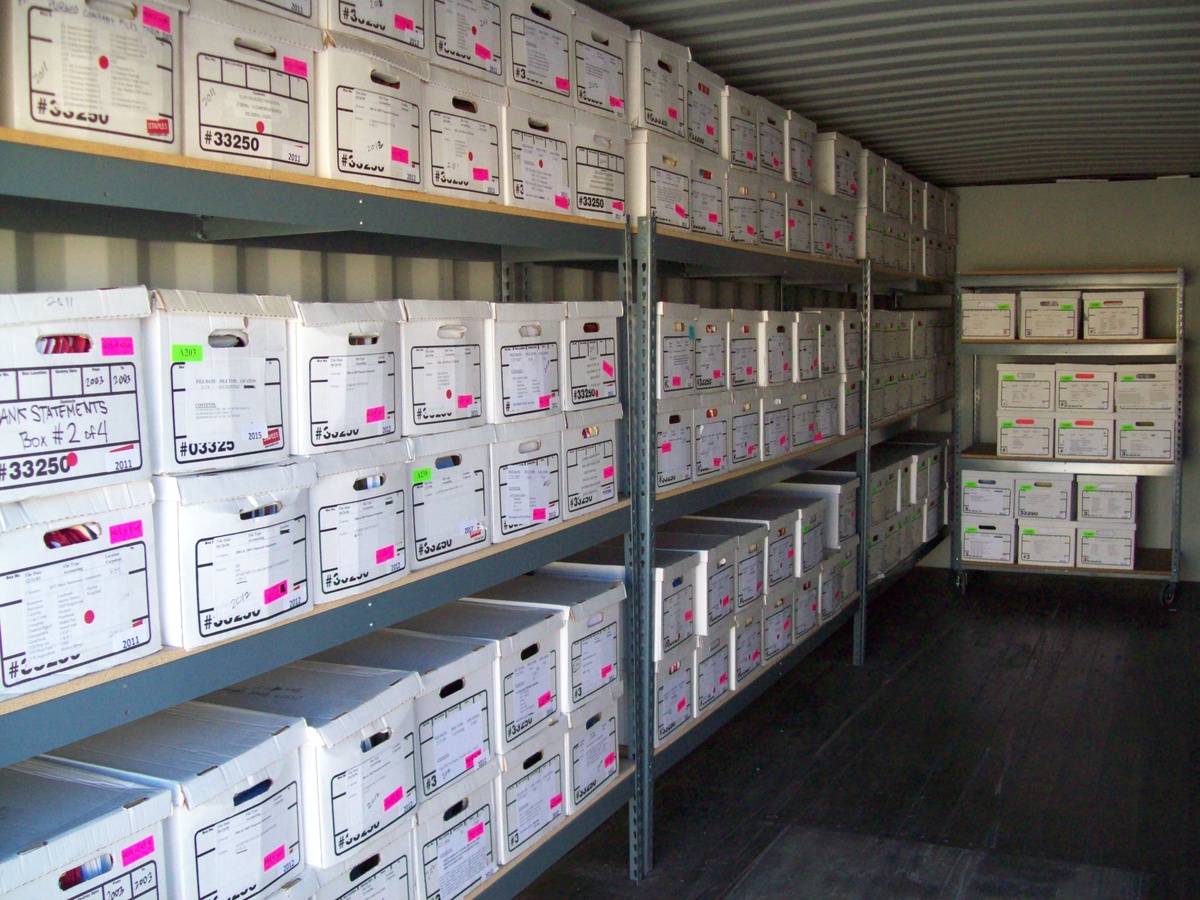
Birth certificates, deeds, tax records, old photographs, signed contracts. Most households and small businesses end up with a box of paper that's too important to throw away but too bulky to keep in a desk drawer. A storage unit is the obvious answer, except paper is fussy. Heat, damp, and a careless container can ruin a document long before you ever need it again.
This guide covers how to store important documents so they survive years in storage: what to sort, what to pack them in, and why the environment around the box matters as much as the box itself.
Start by Sorting Documents Into Categories
Before anything goes into a bin, sort by type. Categories make retrieval fast and tell you which papers are irreplaceable versus which are merely useful. Here's a working checklist for both personal and business files.
- Legal documents: birth and marriage certificates, passports, wills, property deeds, titles, custody and adoption papers.
- Financial records: bank statements, loan agreements, investment paperwork, mortgage documents.
- Medical records: immunization histories, surgical records, insurance claims, prescriptions you need on file.
- Tax records: filed returns and supporting receipts. The IRS recommends keeping most returns three to seven years, and some indefinitely.
- Photographs and negatives: prints, slides, film negatives, photo albums.
- Certificates and credentials: diplomas, professional licenses, warranties, vehicle titles.
For businesses, add a few categories that carry legal weight: signed contracts and leases, employee files and payroll records, incorporation and licensing paperwork, and client records you're required to retain. Keep these separate from personal files so an audit or records request doesn't mean digging through everything.
Pick the Right Containers
The container is your first line of defense. What you choose depends on how long the documents will sit and how much you'd lose if they were damaged.
Plastic bins with sealing lids are the baseline for general paper. They keep out dust, pests, and incidental moisture far better than cardboard, which absorbs humidity and attracts silverfish. Use solid-colored bins rather than clear ones, since light fades ink and photos over time.
Fireproof document boxes or safes are worth it for the irreplaceable tier: deeds, wills, passports, original certificates. They won't survive a furnace, but they buy critical protection against heat and small fires, and they keep your most sensitive papers in one grab-and-go place.
Acid-free folders and archival sleeves matter most for photographs and old documents. Standard paper and PVC sleeves release acids and gases that yellow and brittle paper within a few years. Acid-free folders, interleaving tissue, and polypropylene photo sleeves slow that decay dramatically.
Stand files upright in the bin rather than stacking flat. Stacked paper compresses, sticks together in humidity, and is miserable to flip through later. Label every container on more than one side and keep a simple index of what's where.
Why Temperature and Humidity Decide Everything
Paper is hygroscopic, meaning it pulls moisture straight out of the air. In a hot, non-climate unit through a Central California summer, that's a problem. Sustained heat dries paper out and makes it brittle, while humidity above roughly 60 percent invites mold, mildew, and the wavy, stuck-together pages no one wants to inherit.
Photographs are even more sensitive. Emulsion layers soften and stick in heat, and humidity causes prints to curl, fade, and fuse to album pages or to each other. If you want to know how to store photographs long term, the single biggest factor is a stable, moderate environment, not the album you choose.
This is why a standard drive-up unit is the wrong home for documents you actually care about. The fix is climate-controlled storage, which holds a steady temperature range and regulates humidity year-round. For paper and photo preservation, that stability is the whole game. Indoor climate-controlled units also keep documents away from the dust, pests, and temperature swings that come with outdoor-access spaces.
What Items Need Climate-Controlled Storage
If you're wondering what items need climate controlled storage, paper and photos sit near the top of the list, alongside electronics, leather, wood furniture, artwork, and media like film and vinyl. Anything that warps, fades, corrodes, or grows mold belongs in a controlled environment. The rule of thumb: if you'd be upset to find it damaged, it needs climate control.
What Not to Store in a Storage Unit
Knowing what not to store in a storage unit protects both your documents and everything around them. Skip these:
- Anything perishable (food, plants) that draws pests into your unit.
- Flammable or hazardous materials like paint, fuel, or chemicals, which are prohibited and a fire risk to your paper.
- The only copy of anything critical. Storage is for safekeeping, not for documents you might need on short notice.
- Sensitive originals in a non-climate unit. Putting irreplaceable certificates or photos in a hot drive-up space is asking for slow, invisible damage.
It's also worth covering your stored documents with tenant insurance for stored items, and reviewing the basics of protecting belongings in storage before you load in.
Back Up Digitally as a Complement, Not a Replacement
Physical and digital storage solve different problems. A scanned PDF in cloud storage is instant to retrieve and survives a flood that destroys the paper. But many documents only carry legal weight as signed originals, which is why digital can't fully replace the box.
The practical approach is both. Scan everything in your "irreplaceable" tier, store copies in at least two places (a cloud account plus an encrypted drive), then keep the originals safe in a climate-controlled unit. If you ever lose the physical copy, you still have a usable record, and you rarely have to open the archive box at all.
Business Records Have Their Own Rules
For small businesses, offsite document storage frees up office space and keeps retention-bound records intact. Tax records, signed contracts, and employee files often have legally mandated retention periods, and a controlled environment means they're still legible when an auditor or attorney asks for them years later.
Keep business categories boxed and indexed separately from personal files, and store the originals you're legally required to keep in climate control. Master Storage 365 serves businesses across Central California, including our Reedley storage location and our Lemoore storage facility, both with climate-controlled options sized for archive boxes and filing.
Frequently Asked Questions
Do documents really need climate-controlled storage?
If you're storing them longer than a few weeks or they're irreplaceable, yes. Heat makes paper brittle and humidity causes mold and sticking. A stable, humidity-regulated environment is what keeps documents and photos legible for years.
What's the best container for storing old photographs?
Acid-free folders or boxes with polypropylene photo sleeves and interleaving tissue, kept inside a sealed plastic bin. Avoid PVC sleeves and standard cardboard, which release acids that yellow and brittle prints over time.
How long should I keep tax records in storage?
The IRS generally recommends three to seven years for most returns and supporting documents, with some records kept indefinitely. Check current IRS guidance for your situation, since retention periods vary by document type.
Should I scan documents instead of storing the originals?
Scan them in addition to storing the originals. Digital copies are easy to retrieve and survive physical damage, but many legal and official documents are only valid as signed originals, so keep both.Ready to protect your records? Reserve a climate-controlled unit with Master Storage 365 and keep your most important documents safe, organized, and easy to find.